To begin working on a project, click on the project, and you will see the window displayed below.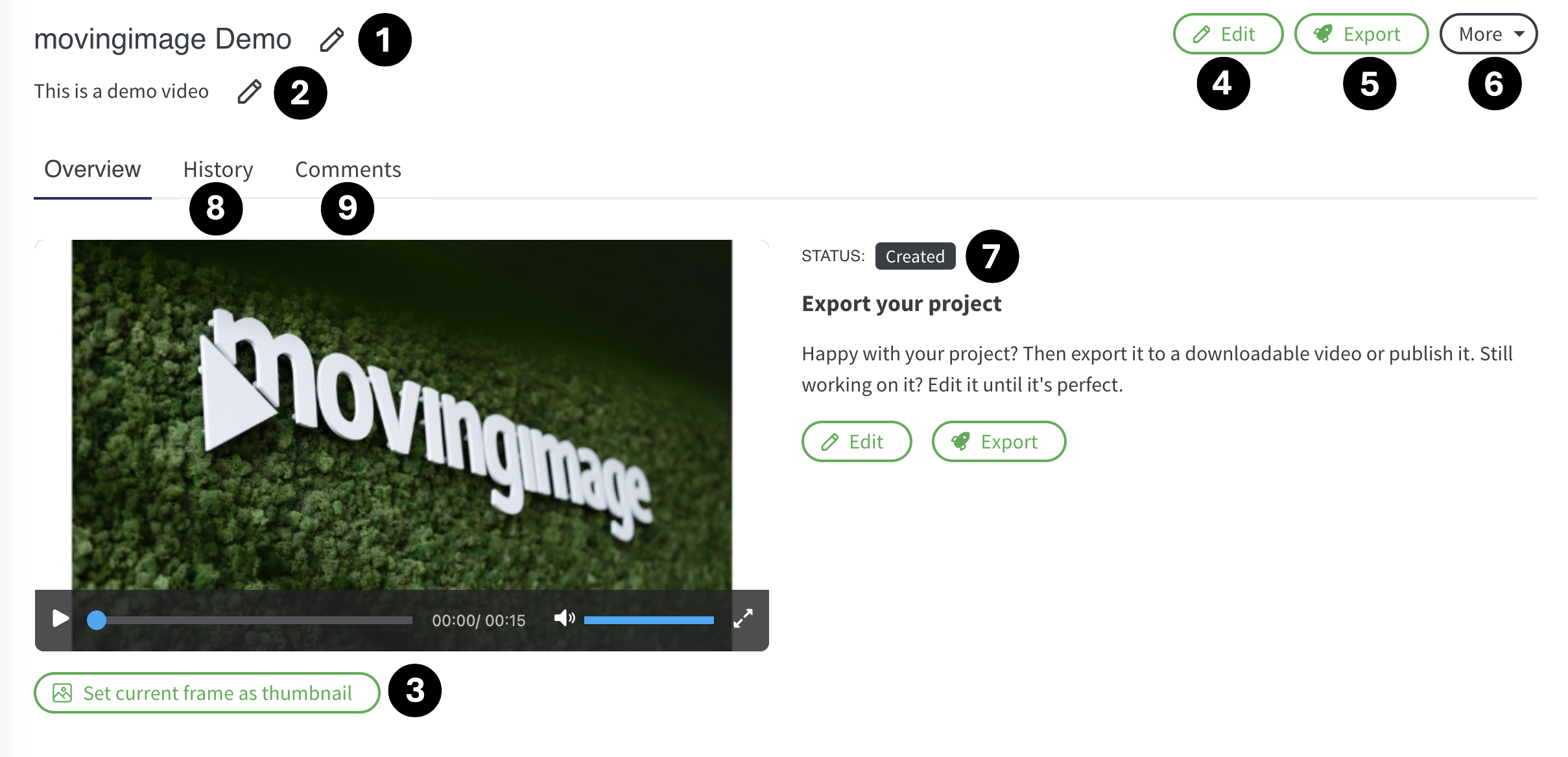
Number | Description |
|---|---|
1 | Title - Edit or add title for the project |
2 | Description - Add the relevant description to the project |
3 | Thumbnail - Play the video and set the desired frame as Thumbnail to the project |
4 | Edit -This will take you the studio to edit the project |
5 | Export - Export/ download the video in desired format |
6 | More Here, you will find options to copy the project, share it, translate it into different languages, create a template, or archive it. |
7 | Status - Here you will see the status of the project like created or rendered |
8 | History |
9 | Comments While reviewing the necessary comments at the exact timeline of the video can be added for better collaboration |