Consult this section for the latest VideoManager Pro features.
Note that release notes from 2022 and before are found in the legacy documentation portal.
Date | Feature | Description |
|---|---|---|
13.05.2024 | Changed documentation link | Due to a migration of our documentation portal, we have changed the link in the top right Help menu to point to the new documentation. See: 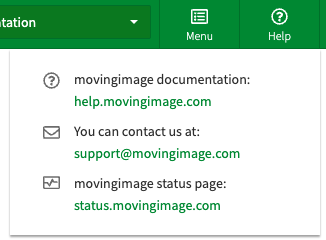 |
08.05.2024 | Better sorting of accordions | Following the typical editing use case, we have rearranged the order of the accordions to have the followings on top when selecting a video in the video list:
See: 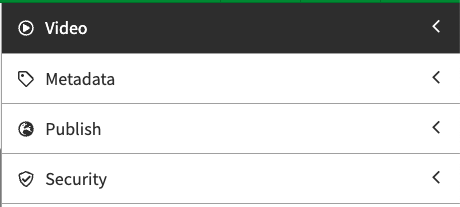 |
16.04.2024 | Split and Merge features | With this release, we introduced our new split and merge features. You can now split one video into two clips or add an intro or outro to a video. You can find the new features in the left menu of the Advanced Video Editing area of a video, once the feature is activated into your VideoManager Pro. To do so, please open a ticket in our support portal. Find out more in this video and our VideoManager Pro Documentation. |
16.04.2024 | New Player | With the release, the new player is now available in the player generator. The player comes with some added features to be barrier-free. Please check the documentation for details on how to create, and use the player. |
09.04.2024 | Trimmed videos and their related assets | From now on, once the video is saved after trimming, the subtitles, and other assets such as chapters or overlays will be adjusted accordingly to where the video was cut. The metadata and thumbnail won’t be affected by this action. For more information please refer to this article. |
14.03.2024 | Embedded status page notifications | From now on, once a maintenance window on the VideoManager Pro is planned, a pop-up will inform users 24 hours prior as well as during the planned maintenance, as shown in the example.  In case of an incident the pop-up as shown in the picture will inform the users as well.  For more information, please refer to this article. |
13.03.2024 | Improvement of the sorting of the users | In order to help administrators assign users to groups with specific roles, the list of the user in the drop-down menu is now alphabetically sorted. To find out how to add users to groups, please refer to this article. |
September 2023 | Improvement: Automatic deletion of analytics data | To help enhance data protection, video analytics data is now automatically deleted when the corresponding video is deleted in VMPro. Specifically, all GPDR-critical dimensions (data) for that video title can no longer be accessed after the video has been moved to the trash bin in VideoManager Pro. |
August 2023 | Minimal tracking now available | You can now enable minimal tracking without consent to help ensure compliance with the GDPR. For specific information about the metrics tracked by minimal tracking, please refer to this article. |
June 2023 | Multiple audio tracks and audio descriptions available for a single video | In VideoManager Pro, you can now add multiple audio streams to your videos. In addition, you can also provide audio descriptions for better accessibility. Users can easily switch between audio tracks during video playback using the new control accessible within the player. To find out how to upload a video with multiple audio tracks or audio descriptions, consult this article. Note that only language codes can be displayed for the time being; custom labels cannot be displayed due to current limitations that we are currently working on. |
May 2023 | Single-sign-on provisioning | VideoManager Pro now offers Single-Sign-On (SSO) autoprovisioning. This new feature enables seamless integration between your organization's Active Directory and VideoManager Pro. Any updates or modifications made to user attributes in the Active Directory will automatically synchronize with user and group permissions in VideoManager Pro. For further details and instructions on how to set up this integration, please refer to the following article. |
April 2023 | Preferred language displayed for users logged in via SSO | VideoManager Pro will now automatically display the preferred language for users logged in via Single-Sign-On (SSO). This feature is enabled by an integration between your organization's active directory and VideoManagerPro that processes user's language preferences provided by your organization's active directory. |